Wednesday, 12 November 2014
Frost Girl

I designed this tag using Danny Lee's "Frost Girl" tube.
This tube can be purchased at the following link:
I also used the matching scrapkit "Frost Girl" by Whisper In The Wind.
This scrapkit can be purchased at the following link:


Tutorial
*Important note : drop shadow is used on all elements except element 93*
Open new 500x500 transparent page.
Place frame 1 in the middle of the page.
Resize to X 243.25px, Y 244.75px, W and H 49.94%.
Place paper 5 behind frame 1.
Place element 21 behind the paper layer.
Resize to X 250.00px, Y 249.50px, W and H 100%.
Place element 32 in the middle of the paper layer.
Resize to X 278.00px, Y 233.00px, W and H 100%.
Place element 35 in front of the bottom of element 32.
Resize to X 216.00px, Y 357.00px, W and H 100%.
Place element 40 on top of element 35 to the right hand side.
Resize to X 319.25px, Y 324.75px, W and H 21.81%.
Place element 63 at the top of element 32.
Resize to X 176.75px, Y 131.00px, W and H 11.81%.
Place element 93 on top of element 32,35,40,63.
Resize to X 249.00px, Y 251.00px, W and H 100%.
Place element 15 at the very top of frame 1.
Resize to X 251.00px, 107.00px, W and H 62.50%.
Thanks for trying my tutorial :)

Saturday, 8 November 2014
Carol

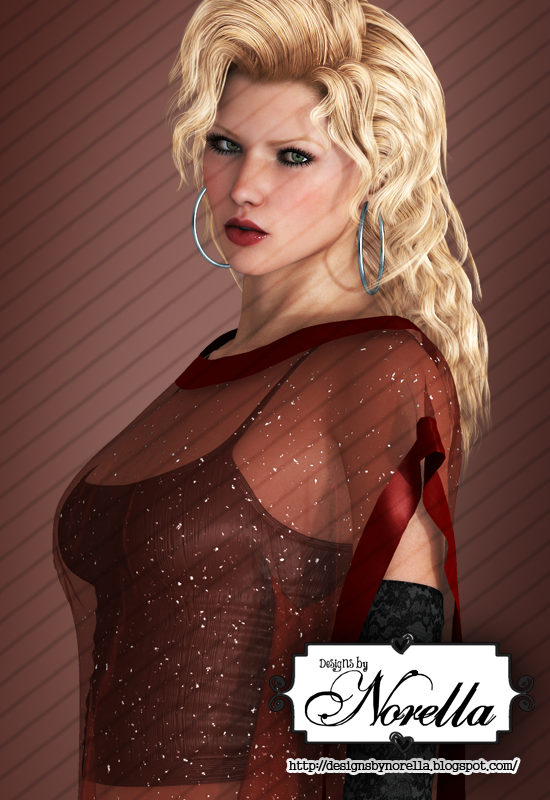
I designed this tag using Designs by Norella's "Carol" tube.
This tube can be purchased at the following link:
I also used "Winter Fantasy" scrapkit by Tiny Turtle Designs.
This scrapkit can be purchased at the following link:


Tutorial
*Important note : drop shadow effect is used on all of the following elements*
Open new 500x500 transparent page.
Place element 2 in the middle of the page.
Resize to X 252.72px, Y 240.25px, W and H 63.45%.
Place paper 30 behind element 2.
Place element 16 along the top right hand side of element 2.
Resize to X 325.50px, Y 77.50px, W and H 100%.
Place another element 16 along the right hand side of element 2.
Resize to X 403.50px, Y 167.50px, W and H 100%.
Place element 60 in the middle of both element 16's.
Resize to X 392.01px, Y 91.26px, W and H 33.79%.
Place another element 16 along the left hand side of element 2.
Resize to X 89.93px, Y 277.60px, W and H 53.40% and -91.46 degree angle.
Place another element 16 along the bottom left hand side of element 2.
Resize to X 247.63px, Y 393.32px, W and H 40.62%.
Place element 147 infront of the third element 16.
Resize to X 82.40px, Y 340.72px, W and H 46.54% and -13.96 degree angle.
Place element 24 to the right hand side of element 147.
Resize to X 125.35px, Y 364.17px, W and H 27.94%.
Place element 8 infront of element 24 to the left hand side.
Resize to X 88.36px, Y 393.92px, W and H 34.76%.
Place element 63 to the right hand side of element 8.
Resize to X 153.50px, Y 394.50px, W and H 30.33%.
Place element 95 to the left hand side of element 63.
Resize to X 82.26px, Y 422.69px, W and H 22.36%.
Thanks for trying my tutorial :)
Monday, 3 November 2014
Gingie

I designed this tag using Designs by Norella's "Gingie" tube.
This tube can be purchased at the following link:
I also used the matching scrapkit by Amy Marie.
This scrapkit can be purchased at the following link:


Tutorial
*Important note : Drop shadow is used on all elements*
Open new 500x500 transparent page.
Place element 50 in the middle of the page.
Resize to X 245.50px, Y 238.50px, W and H 70.73%.
Place paper 14 behind element 50.
Place element 26 at bottom right hand side of element 50.
Resize to X 365.86px, Y 364.00px, W and H 48.42%.
Place element 28 at bottom left hand side of element 50.
Resize to X 152.32px, Y 407.38px, W and H 55.07%.
Place element 29 to the left hand side of element 26.
Resize to X 298.65px, Y 433.00px, W and H 29.53%.
Place element 47 infront of element 28.
Resize to X 181.27px, Y 434.79px, W and H 43.31%.
Thanks for trying my tutorial :)
Tuesday, 28 October 2014
Ledia

I designed this tag using Designs by Norella's "Ledia" tube.
This tube can be purchased at the following link:
I also used "Black Pearl" scrapkit by Tiny Turtle Desings.
This scrapkit can be purchased at the following link:

Tutorial
*Important note : drop shadow effect is used on the following elements 17,31,81,82,110,145,183*
Open new 500x500 transparent page.
Place element 31 in the middle of the page.
Resize to X 251.67px, Y 253.57px, W and H 95.22%.
Place paper 20 behind element 31.
Place element 104 in the middle of the paper layer.
Resize to X 265.00px, Y 256.00px, W and H 100%.
Place element 54 behind the paper layer.
Resize to X 279.00px, Y 233.00px, W and H 100%.
Place element 146 on top of element 54 (to the left hand side).
Resize to X 196.00px, Y 233.00px, W and H 100%.
Place another element 146 on top of element 54 (to the right hand side).
Resize to X 283.00px, Y 227.00px, W -100% and H 100%.
Place element 17 on top of both element 146's.
Resize to X 233.00px, Y 225.00px, W and H 100%.
Place element 145 at bottom right hand side of element 31.
Resize to X 372.56px, Y 367.00px, W and H 36.82%.
Place element 183 to the left hand side of element 145.
Resize to X 305.00px, Y 395.00px, W and H 35.17%.
Place element 81 to the left hand side of element 183.
Resize to X 196.24px, Y 395.72px, W and H 29.51%.
Place another element 81 to the left hand side of element 81 already placed.
Resize to X 125.50px, Y 367.86px, W and H 28.93%.
Place another element 81 to the left hand side of the one just placed.
Resize to X 95.10px, Y 297.47px, W and H 30.14%.
Place element 82 to the left hand side of the 3rd element 81 placed.
Resize to X 99.02px, Y 214.90px, W and H 22.01% and 107.94 degree angle.
Place element 82 to the right hand side of the 1st element 81 placed.
Resize to X 251.89px, Y 433.00px, W and H 23.64% and -134.30 degree angle.
Thanks for trying my tutorial :)
Wednesday, 22 October 2014
Belia

I designed this tag using Designs by Norella's "Belia" tube.
This tube can be purchased at the following link:
I also used "Winter Wonderland" scrapkit by Tiny Turtle Designs.
This scrapkit can be purchased at the following link:


Tutorial
*Important note : drop shadow effect is used on the following elements 17,27,19,50*
Open new 500x500 transparent image.
Place element 27 in the middle of the page.
Resize to X 252,50px, Y 251.50px, W and H 86.34%.
Place element 17 on the bottom left hand corner of element 27.
Resize to X 152.25px, Y 337.25px, W and H 53.36%.
Place another element 17 on the top right hand corner of element 27.
Resize to X 343.50px, Y 177.00px, W and H -53.47%.
Place paper 27 behind element 27.
Place element 19 behind paper 27 on the bottom left hand corner.
Resize to X 131.25px, Y 368.75px, W 60.76% and H -60.76%.
Place another element 19 behind paper 27 at the top right hand corner.
Resize to X 373.50px, Y 122.50px, W -60.19% and H 60.19%.
Place element 50 behind paper 27 at the top left hand corner.
Resize to X 184.00px, Y 160.00px, W and H 100%.
Place another element 50 behind paper 27 at the bottom right hand corner.
Resize to X 320.18px, Y 334.53px, W 100% and H -100% and 30.24 degree angle.
Place element 16 on top of paper 27 in the middle.
Resize to X 243.00px, Y 239.00px, W and H 100%.
Place element 61 on top of paper 27 at the bottom.
Resize to X 262.50px, Y 371.50px, W and H 100%.
Place element 60 on top of element 61.
Resize to X 236.50px, Y 293.50px, W and H 100%.
Place element 2 on top of element 61 at the bottom.
Resize to X 253.00px, Y 371.50px, W and H 100%.
Place another element 60 near the already placed element 60s.
Resize to X 247.50px, Y 293.50px, W and H 100%.
Thanks for trying my tutorial :)
Sunday, 19 October 2014
Bianca

I designed this tag using Designs by Norella's "Bianca" tube.
This tube can be purchased at the following link:
I also used "Spring Valentine" scrapkit by Tiny Turtle Designs.
This scrapkit can be purchased at the following link:


Tutorial
*Important note : drop shadow is used on the following elements 149,93,85,40,42,47*
Open new 500x500 transparent page.
Place element 47 in the middle of the page.
Resize to X 250.00px, Y 250.50px, W and H 100%.
Place element 42 in the middle of element 47.
Resize to X 249.50px, Y 203.00px, W and H 100%.
Place paper 18 behind element 47.
Place element 41 in the middle of the paper layer.
Resize to X 251.00px, Y 241.00px, W and H 100%.
Place element 104 at the bottom of element 47.
Resize to X 216.00px, Y 345.50px, W and H 100%.
Place element 40 at the top left hand corner of element 47.
Resize to X 84.00px, Y 162.00px, W and H 100%.
Place element 123 almost at the bottom of element 47.
Resize to X 251.00px, Y 380.00px, W and H 100%.
Place element 85 at the bottom right hand corner of element 47.
Resize to X 409.89px, Y 348.33px, W and H 59.57%.
Place element 93 to the left hand side of element 85.
Resize to X 359.28px, Y 433.00px, W and H 23.48%.
Place element 149 to the left hand side of element 93.
Resize to X 311.44px, Y 441.10px, W and H 16.63% and 28.40 degree angle.
Place element 135 in the middle of the tag.
Resize to X 216.00px, Y 315.50px, W and H 100%.
Thanks for trying my tutorial :)
Thursday, 16 October 2014
Witch

I designed this tag using Di_Halim's "Witch" tube.
This tube can be purchased at the following link:
I also used the matching scrapkit "Witch" by Bibi's Collection.
This scrapkit can be purchased at the following link:


Tutorial
*Important note : drop shadow effect is used on all elements except element 18,19,27,53,64*
Open new 500x500 transparent page.
Place element 53 at top right hand corner.
Resize to X 306.04px, Y 109.93px, W and H 39.10%.
Place element 64 in the middle of element 53.
Resize to X 347.44px, Y 95.41px, W and H 26.02%.
Place element 1 to the left hand side of our page.
Resize to X 120.63px, Y 210.39px, W and H 26.46%.
Place element 8 behind element 1 (to the right hand side).
Resize to X 223.00px, Y 220.50px, W and H 100%.
Place element 21 behind element 8 (to the right hand side).
Resize to X 265.67px, Y 289.07px, W and H 21.62%.
Place element 27 to the right hand side of element 21.
Resize to X 281.00px, Y 229.00px, W and H 56.82%.
Place element 123 behind element 1(at the bottom).
Resize to X 239.00px, Y 406.00px, W and H 100%.
Place element 25 in the middle of element 123.
Resize to X 278.00px, Y 416.50px, W and H 100%.
Place element 114 behind element 8.
Resize to X 201.50px, Y 209.50px, W and H 100%.
Place another element 114 to the left hand side of the one just placed.
Resize to X 126.00px, Y 209.50px, W and H 100%.
Place element 18 on top of elements 1 and 123.
Resize to X 227.00px, Y 327.50px, W and H 42.12%.
Place element 19 on top of element `18.
Resize to X 166.00px, 296.00px, W -60.61% and H 60.61%.
Place element 91 in the middle of element 64 and 53.
Resize to X 347.00px, Y 78.00px, W and H 18.79%.
Place element 122 on top of element 1 (top left hand side).
Resize to X 26.50px, Y 139.50px, W and H 12.37%.
Thanks for trying my tutorial :)
Subscribe to:
Posts
(Atom)